
Appearance
Billing and subscription
Select Billing & subscription in the Settings list to see the plan you're on and manage what you pay HiTradies.
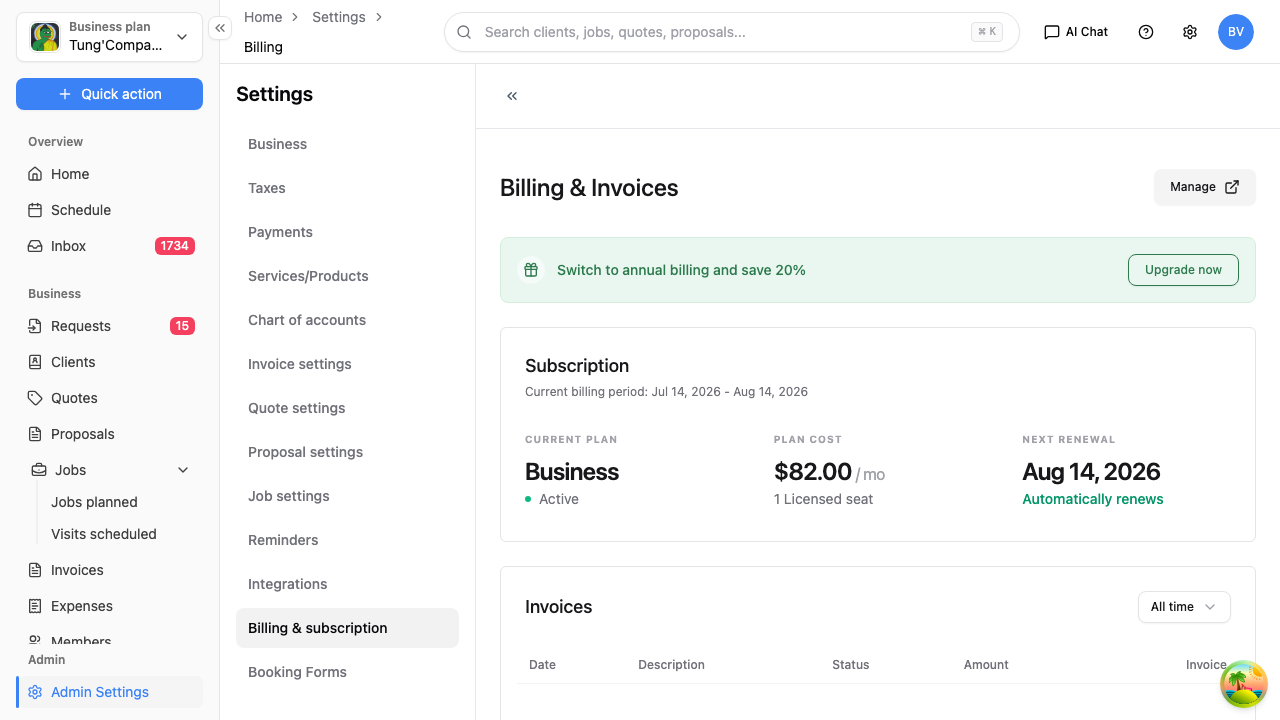
Your subscription
The Subscription section shows:
- Your current plan and its status
- The plan cost and how many licensed seats it includes (a seat is a team member — see Team members)
- Your current billing period and next renewal date
- Whether it renews automatically
If you're offered a saving for switching to annual billing, or a prompt to Upgrade, you'll see it here.
Changing your plan
Select Manage to change your plan, update your payment method, or cancel.
Billing is handled securely through Stripe, so changing your card or plan takes you to Stripe's billing portal and back. HiTradies never stores your card details.
Billing history
The Invoices section lists the invoices HiTradies has charged you — the date, what it was for, the amount, its status, and a link to each invoice. This is your record of what you've paid for HiTradies itself (not the invoices you send your own clients — those live under Invoices).
Need help with billing?
Billing questions go to billing@hitradies.com — the address shown at the bottom of this page.