
Appearance
Services and accounts
Services and products
Select Services/Products in the Settings list. This is your catalogue — the services and products you sell, each with a price. Building it up once means quoting and invoicing later is just a matter of picking from a list instead of typing prices in every time.
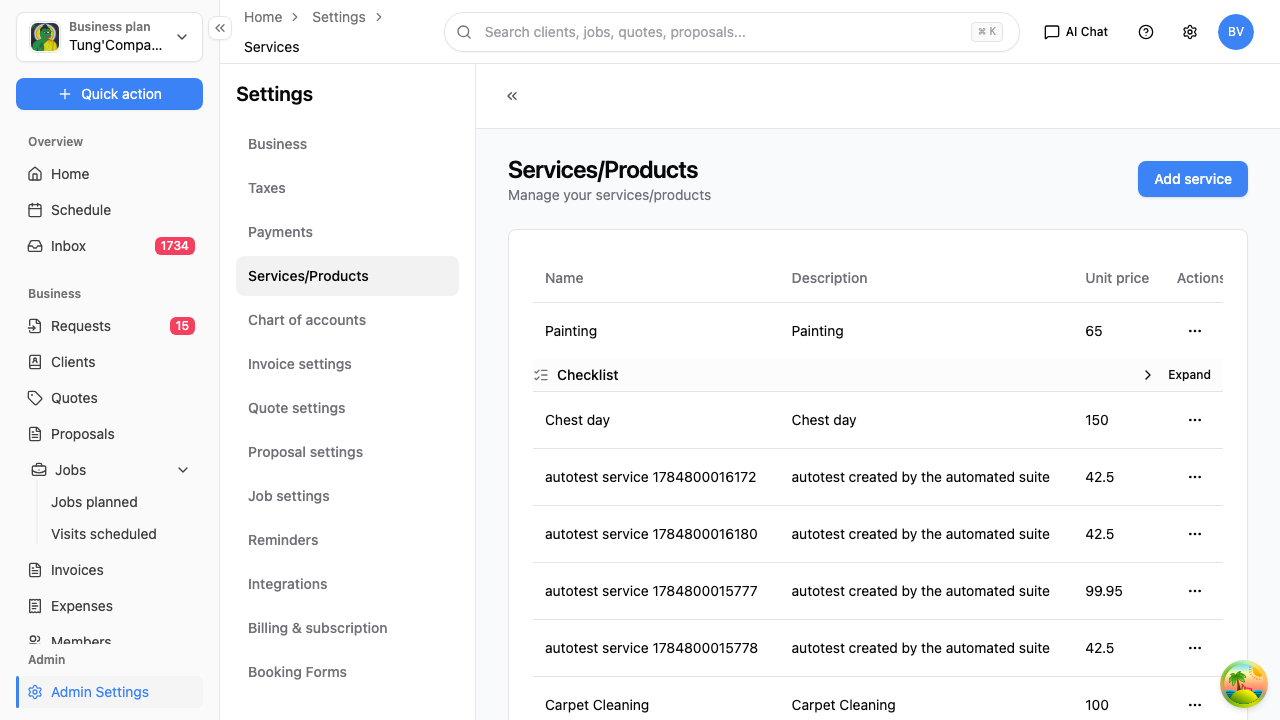
The table shows each item with its name, description and unit price.
Add a service or product
- Select Add service.
- Enter a name, an optional description, and the unit price.
- Save.
Once it's saved, it shows up in the Select service picker whenever you add a line to a quote, job or invoice — with its price filled in for you.
Edit or remove an item
Use the actions at the end of an item's row to edit or delete it. Some items expand to show more detail — select the Expand control on the row.
Changing a price here doesn't change quotes or invoices you've already raised — it applies to new lines from here on.
A tip on searching
The list has a search box, but search it by a single word (part of the name) rather than the full multi-word name.
Chart of accounts
Select Chart of accounts in the Settings list. This is the set of categories your income and expenses are filed under — the backbone of your bookkeeping, and what lines things up neatly if you connect accounting software.
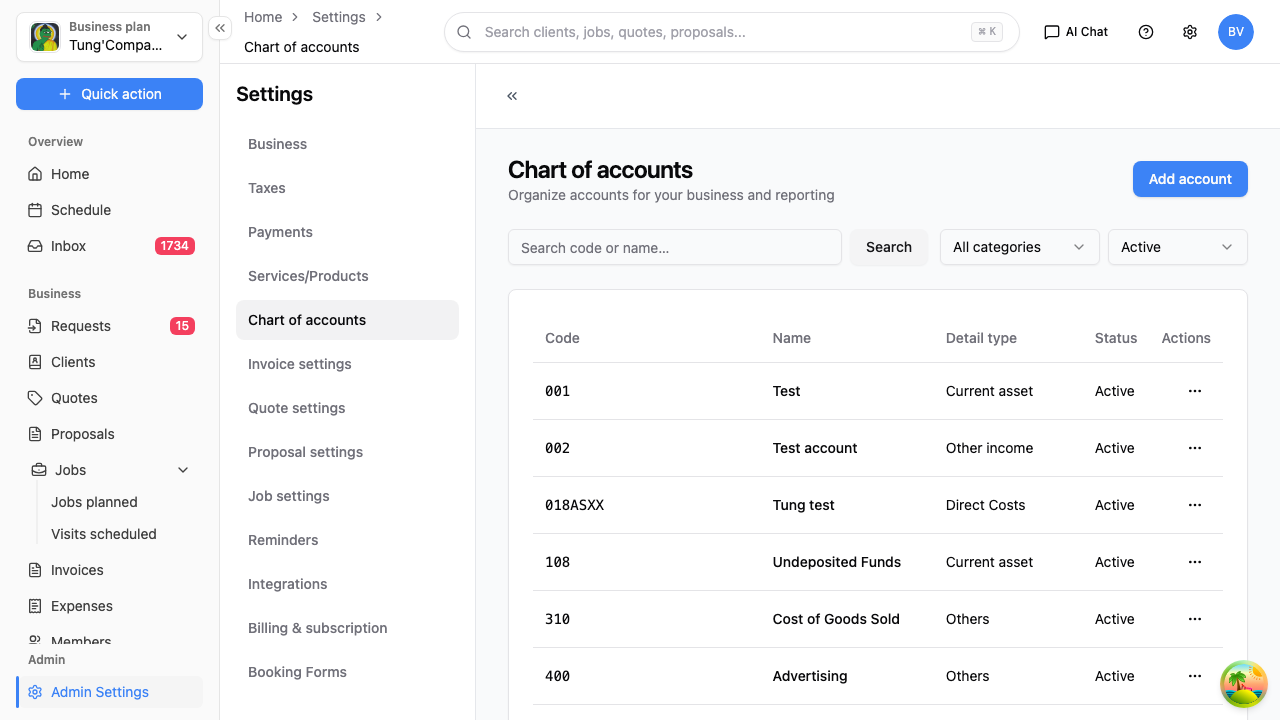
Each account has a code, a name, a detail type (like Current asset or Advertising), and a status. The list is paged — use Previous and Next to move through it, and the Search control to find one.
Add an account
- Select Add account.
- Enter a code and name, choose the account type and detail type, and add an optional description.
- Save.
Edit or archive an account
Use the actions at the end of an account's row to edit it, or to archive it when it's no longer used.
Accounts can't be deleted outright — archiving is how you retire one. That keeps your past records intact while taking the account out of your active list.
Do you need to touch this?
HiTradies starts you with a standard set of accounts, so many tradies never need to change it. It's mainly worth a look if your bookkeeper or accountant asks for a particular category, or you're matching your setup to Xero or QuickBooks.