
Appearance
What your customer sees
The booking page from your customer's side, so you know what you're sending them to.
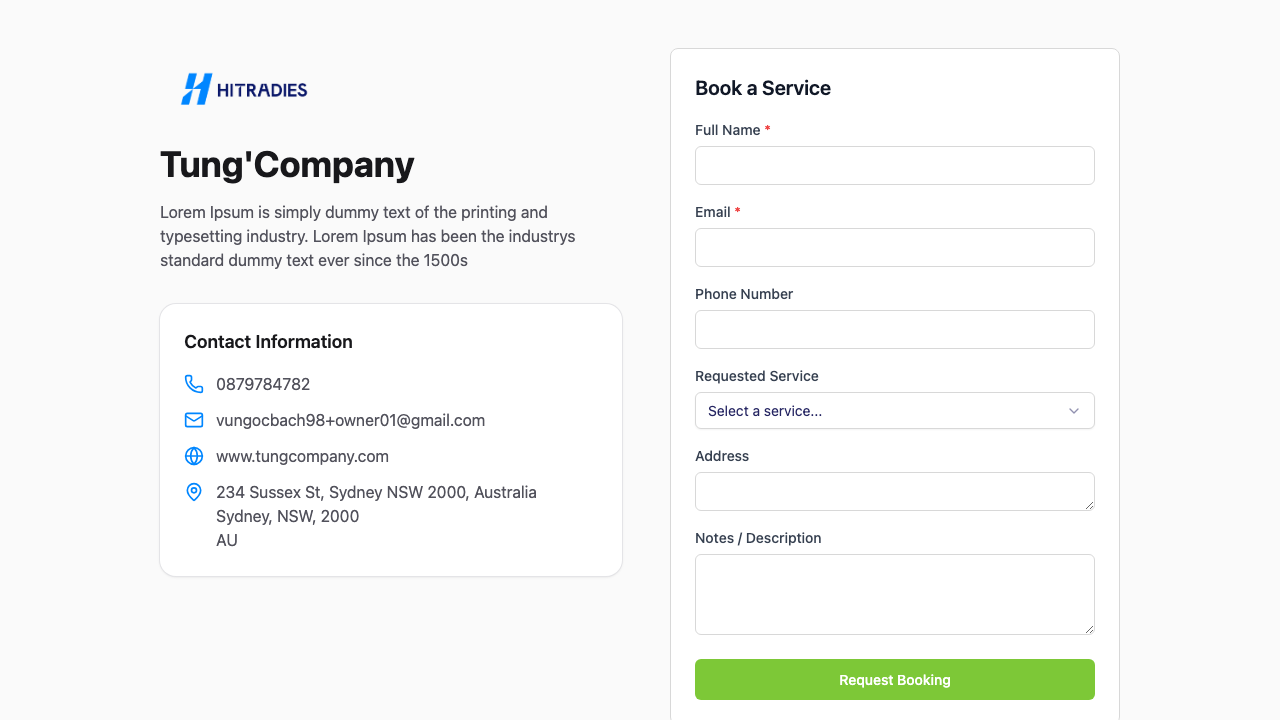
When a customer opens your booking link, they get a simple page branded to your business. They don't need a HiTradies account or a password. They just fill it in.
What's on the page
- Your logo, business name and description at the top
- Your contact details: phone, email and website
- A Book a Service form
What they do
- Fill in the form. It asks for what you chose when you set it up. A booking form typically asks for:
- Full name (required)
- Email (required)
- Phone number
- Requested service, picked from a dropdown of your services
- Address
- Notes / description, where they explain what they need
- Select Request Booking.
- See the confirmation. They get a short message, something like "Thanks! We'll be in touch shortly." This is the message you set on the form. It comes with a short reference for their request.
That reference matches the Ref you see on the request in your Requests list, so you're both looking at the same one.
On your side, their request lands in Requests, ready for you to follow up. See Manage booking requests.
Tip — The fewer fields you make required, the more likely a customer is to finish. Name and email are enough to get back to them, and you can ask for the rest when you follow up. Change what's required in the form's settings.